Wednesday, March 4, 2015

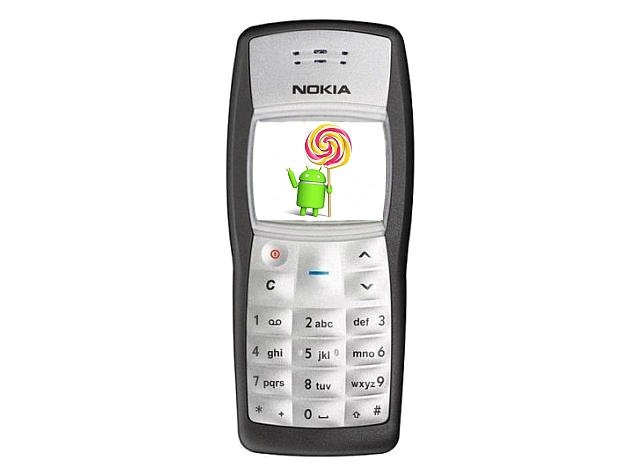
Nokia 1100 With Android 5.0 Lollipop, Quad-Core Processor Spotted

One of Nokia's most popular feature phones, the Nokia 1100, is once again in the news. A handset with that model number was spotted running Google's latest Android build and powered by a quad-core processor under the hood.nokia_1100_android_lollipop_screen.jpgNokia's legendary phone has been spotted at a benchmark listing tipping details of the innards. First spotted by Nokia Power User, the Nokia 1100's Geekbench browser benchmark results show the handset running Android 5.0 Lollipop while including a quad-core MediaTek (MT6582) processor. The listed Nokia 1100 handset is seen featuring 512MB of RAM. Apart from the Android version, processor, and memory, there are no details about other specifications.
With the form factor of the original Nokia 1100, we find it hard to believe the Finnish company might be testing running any version of Android on it, forget Lollipop. It is more likely an in-development smartphone that the company is using the same model number for. Of course, the spotted Nokia 1100 with Android is unlikely to debut before Q4 2016, as the terms of Microsoft's acquisition of Nokia's Devices and Services business stipulate Nokia can no longer use its brand on smartphones till Q4 2016, and on feature phones for 10 years.
The Nokia 1100 was launched late in 2003 and is one of the company's biggest milestones as it's owned by around 250 million people worldwide, according to the company. Nokia even claimed that the Nokia 1100 was "the world's most popular phone."
Last year, Nokia neatly bypassed the restrictions imposed by the Microsoft deal and launched the Nokia N1 tablet. The company called it the "first Nokia-branded Android tablet" and was initially launched in China in Q1 2015 with a brand-licensing agreement extending to an OEM partner (Foxconn) that would manufacture, distribute, and sell it.
source

Tuesday, March 3, 2015

Here's the biggest differences between Apple Pay, Android Pay, and Samsung Pay

Google product czar Sundar Pichai officially confirmed reports that the company is working on a mobile payments API (application program interface) called Android Pay at Mobile World Congress on Monday.
That makes three tech giants with similar sounding payments efforts — we've got Apple Pay, Samsung Pay, and now Android Pay.
Here's the biggest differences between Apple Pay, Android Pay, and Samsung Pay Although they sound the same, the three are different in important ways.
Here's the basics about what you need to know about each:

Apple Pay and Samsung Pay have a similar purpose, will work in different places

The main purpose of both Apple Pay and Samsung Pay is to let you buy things in physical stores using your phone.
Apple Pay only works on the company's latest iPhones in retailers with near-field communication (NFC) technology. Over 200,000 retailers support Apple Pay, but not every retailers' sales system supports NFC.
Samsung Pay will also only work with the company's latest phone, the S6. However, Samsung's phones will work with NFC technology but also standard magnetic credit card readers, thanks to its recent acquisition of LoopPay. Because most U.S. retailers already have magnetic strip readers, more will automatically be able to accept Samsung Pay (the company says that 30 million merchant locations globally already have the potential to work with Samsung Pay).
"Apart from this key distinction between the two payment products, Samsung Pay largely has the same product attributes as Apple Pay," according to Evan Bakker, research associate for BI Intelligence.
Apple Pay launched in October and Samsung Pay will launch this summer, but both rely on shoppers using their fingerprint to authenticate purchases and neither Apple nor Samsung will have any access to information about what users bought or how much they paid. 
Here's the biggest differences between Apple Pay, Android Pay, and Samsung Pay

Android Pay is a platform, not a product that people will use in stores, like Apple Pay and Samsung Pay 

Since 2011, Google has offered a mobile wallet app that shoppers can use at some retailers with NFC technology.
But unlike "Google Wallet," Android Pay is is not a product.
Instead, it's an API layer in Android that will be able to power in-app and in-store mobile payments capabilities for any Android-based app. Google Wallet, for example, will be powered by Android Pay's technology.
In that way, Android Pay isn't strictly a competitor to either Samsung Pay or Apple Pay. At Mobile World Conference, Pichai said Google will try to ensure that Android Pay and Samsung Pay can "align" and said the two services were being rolled out on different timelines.
Google wants Android Pay to become a successful platform because it would be a simple way for the billion people who use Android phones to pay for things — Pichai called out China and India as places where he hopes to see developers build "innovative services" with Android Pay.
It would also potentially mean offline purchasing data for Google that it could use to better target its online ads (a key distinction between Google Wallet and Apple or Samsung Pay is that Google "sees" every transaction that a user makes).
Since the company launched Wallet in 2011, the service hasn't quite taken off, but it passed a major hurdle recently it when acquired assets from Softcard, a mobile payments company backed by Verizon, AT&T, and T-Mobile. Now, when you buy a new Android phone from any of the major US carriers, that phone will have the Google Wallet app pre-installed.
Here's the biggest differences between Apple Pay, Android Pay, and Samsung Pay

Bonus: PayPal may not have "PayPal Pay" but it just made a huge mobile payments acquisition

Although PayPal doesn't have a product with a cookie-cutter name, Re/code reported on Monday that the company is buying the startup Paydiant for $280 million.
Paydiant powers the Apple Pay, Samsung Pay, and Google Wallet competitor, CurrentC. CurrentC, which will launch this year, is the mobile wallet of a consortium of big-box retailers including Wal-Mart, Target, and 7-Eleven. By buying Paydiant, PayPal comes hard into brick-and-mortar mobile payments as a retailer's ally.
As Re/code's Jason Del Rey explains it:
Many retailers don’t want to be beholden to a dominant payments service, whether it’s from Apple or Google. Ultimately, some may decide it benefits them to have other players such as PayPal offering alternatives.

Here's the biggest differences between Apple Pay, Android Pay, and Samsung Pay

The best Android games from February 2015

As 2015 gets into its groove, the trickle of fine new Android games is starting to widen out into a steady stream, if not quite yet a gush.

The last 30 days or so have produced some more top efforts. Some are iOS conversions, as always, and some are simultaneous launches.

It's a varied spread, too, with sports titles mixing with RPGs and classy casual time-wasters.

Give them a try.

Motorsport Manager
By Christian West - buy on Android


Undoubtedly one of the best sports management titles available on mobile, Motorsport Manager throws you into a fictionalised world of Formula 1-like intrigue.

It's up to you to manage a racing team, hiring staff, attracting sponsors, and setting up your car.

Crucially, it's not too complicated or fiddly for mobile play, so you can dip in and out whenever you have a spare moment. But you'll probably be playing plenty when you don't, too.

Mikey Boots
By BeaverTap Games - buy on Android

Subscribe to AppSpy on


The third and latest Mikey game from BeaverTap Games has arrived on Android, courtesy of Noodlecake Studios, and it's arguably the best - or at least the most intuitive.

This time the idea is to keep Mikey in the air using his nifty rocket boots, hoovering up coins and getting to the end of each bite-sized level as quickly as possible.

At its challenging, tactile best, it's like one of those games where you have to guide a metal loop around a length of twisted wire without touching the sides.

Heavenstrike Rivals
By Square Enix - download on Android


This exciting new IP from Square Enix and Mediatonic brings polished turn-based RPG battling to the free to play mobile format.

If that last part sends shivers up your spine, then fair enough. But Heavenstrike Rivals has more than enough going for it in terms of strategic depth and downright handsome looks to warrant putting aside your misgivings for a bit.

It's got a pretty good story, too, if you're into the whole epic JRPG thing.

Yes, there's an irritating energy system that refills with time or - of course - investment, but there's no denying the sheer quality of the content on offer here.

Major Magnet: Arcade
By PagodaWest Games - download on Android


This polished free to play game has the look and feel of a classic Sega game. It sees you swinging from magnet to magnet, gaining momentum and pinging off into the air in series of death-defying manoeuvres.

Despite its bite-sized levels, Major Magnet: Arcade offers a stiff challenge. Perfect timing is often required to nail the game's exacting requirements.

If you're up to the challenge, though, Major Magnet: Arcade is one of the better ways to spend no money this month.

ZigZag
By Ketchapp - buy on Android


There's not much to say about ZigZag, other than that it's another simple tappy-tappy game from Ketchapp.

Your ball travels along an isometric path, and you must tap at each junction to make the appropriate turn. If you don't you die.

It's simple, it's punishing - it will keep you coming back for more than is strictly healthy.

Limbo
By Playdead - buy on Android

Subscribe to AppSpy on


Another indie darling makes its way to Android. Limbo is a classic 2D platform-puzzler, with a hugely influential dark and dingy silhouette art style.

The story it tells is similarly grim, concerning a young lad traipsing through a murky nether-realm, avoiding insta-death traps and nightmarish creepy crawlies.

It's the stuff of nightmares, in the best way possible.

Almightree: The Last Dreamer
By Chocoarts - buy on Android


Almightree is a beautiful puzzle platformer that injects a real sense of urgency into the block-shifting premise.

As you move around Almightree's world, the blocks you walk on begin to crumble. Time is of the essence as you strive to solve the game's gentle conundrums.

All of this is set off with a lovely Zelda-inspired art style, which makes the game look like a polished console game.

Grudgeball: Enter the Chaosphere
By Cartoon Network - buy on Android


Grudgeball is another solid, attractive game based on Cartoon Network's extensive brand, but you don't need to have a working knowledge of Regular Show and its characters to enjoy it.

This is a made-up-sport game that sees your team holding onto possession of the ball to build up power, then lobbing that ball at an opponent's face.

It's dodgeball on amphetamines, but with just enough tactical scope to make it interesting beyond its destructive premise.

Jolly Jam
By Rovio Stars - download on Android


The latest effort from Rovio Stars doesn't appear to be particularly fresh or exciting at first glance. In fact, it looks like yet another match-three puzzler and - worse - a Candy Crush clone.

It's actually a sharp and thoughtful effort, though. Rather than simple dragging together clusters of coloured blobs, here you're drawing boxes around them, connecting separated matches and obliterating any other same-shaped fruits in between.

Jolly Jam might look familiar, then, but it's the freshest casual puzzler we've played for a while.

Active Soccer 2
By The Fox Software - buy on Android


Like the first game in the series, Active Soccer 2 harks back to the days before FIFA took a stranglehold on video game footy.

It's a fast, unforgiving, arcadey, top-down experience that requires considerable dexterity and practice to master.

Okay, so it's a little ugly and even glitchy, and there are no licenses, but Active Soccer 2 plays as pure a game of soccer as you can get on Android.

Monday, March 2, 2015

Android essentials: 13 apps I can't live without


Android Essential Apps
These are the apps I need to make a device do what I want it to do -- and they might just work wonders for you, too.

We spend a lot of time talking about Lollipop and OS-level issues with Android -- but you know what's just as important as the operating system on your phone or tablet? The apps that surround it.

The right apps can make your device easier and more enjoyable to use. They can give it powers you didn't know were possible. They can make it feel like your own custom-tailored gadget -- whether you've been using it for two minutes or for two years.
As someone who spends an absurd amount of hours staring at Android phones and tablets, I've given a lot of thought to what apps matter the most to me. There's the stuff I keep around and use once in a while, sure, but what are the essential apps I need to feel like a device is mine -- and to make it do what I need it to do? If I could install only a dozen apps on a device, which apps would I choose?
I had to cheat a little and give myself a baker's dozen -- hey, a geek's gotta eat -- but after much contemplation, these are the Android apps I can't live without.
(Note that for the purposes of this story, I'm focusing on apps you actually have to download and install onto a device. I'm not including core Google services like Gmail, Google+, and Drive, all of which are certainly essential to me but come preinstalled on most Android phones and tablets.)
Google's stock Android keyboard has gotten much better over the years, but I don't feel at home in a device until I have SwiftKey in place. Why? Simple: SwiftKey has the best layout, design, and functionality for my needs. Its next-word prediction knows me almost too well, and its swipe-to-type capability works wonderfully when I want it.
SwiftKey excels in layout and functionality (left) and offers a large selection of themes (right)
I like using the app with the Lollipop-esque Material Light theme (99 cents via in-app purchase) and with the long-press duration (under the "Advanced" section of SwiftKey's settings) set to 200, which makes it faster and more fluid to hit secondary keys like numbers and special characters.
(Free with optional in-app theme purchases)
I've been using the new Action Launcher 3 home screen replacement app for nearly two months now, and I can't imagine giving it up anytime soon. Action Launcher has a Material Design-inspired motif and offers some neat features that make it stand out from most run-of-the-mill Android launchers -- like the ability to keep widgets available on demand without having them take up any permanent space on your home screen.
Other nice touches include a streamlined sliding app drawer and an instant-theming option that can automatically style your entire home screen to match your wallpaper (something that works astonishingly well with Muzei).
Action Launcher automatically themes your entire home screen to match your wallpaper (left) and allows you to call up widgets on demand (right)
Action Launcher 3 has given my personal setup a fresh and modern makeover and made it more efficient than ever. It's become a core part of what makes a phone or tablet feel like my own.
(Free with $5 in-app upgrade to unlock all features)
I've said before that this app will change the way you use your phone, and I wasn't kidding: Once you get used to having Link Bubble around, you'll wonder how you ever lived without it.
In short, Link Bubble acts as a companion to your regular mobile browser by intelligently handling all the links you open from within other apps. So instead of being taken out of an app and into your browser when you tap a link in something like Twitter or Google+, Link Bubble opens the link in a floating bubble on the side of your screen. You can then tap the bubble whenever you're ready to read the content, and the pages appear in overlay windows on top of whatever else you're doing.
Link Bubble makes opening links from apps (left) and then reading what you've opened (right) less disruptive
Bottom of Form
Top of Form
Bottom of ForNo waiting, no interrupted work flow, and no wasted time. Link Bubble is always one of the very first apps I install on a new phone or tablet -- and there's good reason why.
(Free with $4 "pro" upgrade to unlock all features)
This one isn't exciting -- and in fact, it isn't even anything I actively use once it's installed -- but it's as much a necessity for me as an app could possibly be. Google's Google Voice app allows me to route my calls from my Google Voice number to any phone I'm using. As a guy who frequently moves from one device to another, that type of freedom and flexibility is invaluable.
While most of Voice's functionality has now been shifted into Hangouts -- which is where I actually send and receive texts, receive voicemails, and sometimes make VoIP-style calls from my Google Voice number -- the GV app itself is still needed in order for the phone-forwarding process to work. It's something I set up once then promptly forget is there.
(Free)
I read a ton of tech news and rely on Feedly to keep up with the many sites I follow. But while Feedly's Web interface is suitable enough, the company's own Android app has always left me wanting more.
A third-party app called FeedlyReader fills that void with style and grace. With a clean and attractive Material Design vibe and an impressive array of features -- like configurable left- and right-swipe actions within the story list and tons of opportunities for customization -- FeedlyReader has almost everything I've ever wanted in an mobile RSS client.
FeedlyReader brings modern Android design and plenty of functionality into the Feedly news-reading world
It's the first reader app I've actually enjoyed using instead of merely settling to accept.
(Free)
6. Pocket
As part of my voracious news-reading and social media-surfing habit, I encounter a lot of interesting content. More, in fact, than I usually have time to read in a typical day.
That's why Pocket is an absolute must-have in my Android app arsenal. Anytime I come across an article I want to read later -- whether it's in Chrome, Twitter, Google+, FeedlyReader, Google News & Weather, or anywhere else -- I just shoot it over to Pocket using Android's excellent system-wide sharing function.
I barely even have to stop what I'm doing, and the story is saved and ready for me to savor whenever I have the time -- from any device, anywhere, whether I'm online or off. Doesn't get much better than that.
(Free)
Twitter's a big part of my day-to-day routine, but the company's official Android app isn't exactly awe-inspiring. So now that all of my primary personal devices are running Lollipop, I've moved to Talon for Twitter (Plus) for all of my tweet-related needs. The app has a clean and minimalist Material Design theme that's a pleasure to use, and it does everything I want from a Twitter client without all the silliness the official Twitter app requires.
Talon for Twitter (Plus) is a Lollipop-level Twitter client that puts Twitter's official app to shame
Tweeting without compromise. Gotta love it.
($4, available for Android 5.0+ only)
8. Authy
If you aren't yet using two-factor authentication for your Google account -- and any other account that allows it -- you should be. It's a simple way to protect your valuable (and often invaluable) data from hackers, and it doesn't take much extra effort on your behalf.
After much research and deliberation, I switched from Google's official Authenticator app to Authy late last year. It does the same basic thing as Google's app, with the same standard of security -- only in a far superior package with a more modern and user-friendly design and some useful extra features (including some powerful options for multidevice synchronization).
I couldn't get by without it.
(Free)
The official Android Wear app isn't the most electrifying thing in and of itself, but if you use an Android Wear smartwatch -- which I do -- it's a must-have in order for your watch to stay paired and connected. 'Nuff said.
(Free)
It took me a while to get on-board with the Pushbullet train, but nowadays, it's one of the most useful apps on my devices and one I rely upon daily. Pushbullet is all about creating an open connection between your various computers and mobile devices -- your phone, your tablet, and even your laptop or desktop PC (by way of its companion browser extensions or Windows/Mac apps).
For me, Pushbullet's value lies in two main areas. First is its universal copy-and-paste feature: With the app installed on your phone or tablet and on your PC, it's as if all of the devices share a single linked clipboard. You can highlight text on your computer, hit Ctrl-C, then pick up your Android phone or tablet and instantly paste the text anywhere. You can do it the other way, too -- highlighting text on your Android device, copying it, then hitting Ctrl-V on your computer to paste it on that end. It's almost eerie how well it works and how native it feels.
Pushbullet gives you a universal clipboard across multiple devices (left) and lets you wirelessly beam links, images, and files between phones, tablets, and PCs (right)
The second feature I've come to love is Pushbullet's ability to "push" content wirelessly between two devices, regardless of their physical proximity. It's awesome when I need to quickly zap an image or file from my phone to my computer, but it comes in handy in simpler ways as well -- like when I come across a news article, Web page, or Amazon listing that I want to look at after work. I just push it from my computer to my tablet, where it'll be waiting for me at the end of the day. Or when I'm looking at something on my phone or tablet and want to show it to my wife -- so I push it wirelessly to her tablet, where it appears as a notification for her (since we've opted to link our accounts in that way).
Pushbullet is full of power, and it's become a real must-have on any device I'm using.
(Free)
11. Pandora
It may be the "old-school" music-streaming solution, but you know what? After years of careful honing, Pandora knows exactly what sort of music I want to hear when I'm in the mood for variety. It's my go-to app when I'm working out or working around the house, and rarely a day goes by without it being opened on one of my devices.
(Free with optional $5/mo. subscription for ad-free listening)
12. Netflix
We use Google's Chromecast to watch lots of Internet-streamed content -- which means any Android device around the house can serve as the remote. All it needs is the official Netflix app on it, and it's good to go. What more can I say?
13. Screebl
One of the most annoying parts of using a phone or tablet is having the screen time out and shut off while you're still looking at something (but not actively touching the display). A simple little app called Screebl makes that inconvenience a thing of the past.
All you do is activate Screebl on your Android device, and it keeps your screen on anytime you're holding it and shuts it off whenever you put it down. It uses your device's sensors to detect activity, and it works consistently well -- even in dim environments, where light-requiring features like Motorola's "Attentive Display" often falter.
Screebl seems to have issues with a handful of phones and tablets, but it's a tough one to give up once you've seen how much it can improve your mobile experience (not to mention your battery life).
(Free with optional $2 upgrade for extra features and no ads)
The lucky 13
So there you have it: the 13 Android apps I can't live without. Hopefully some of them will serve you as well as they've served me.
And rest assured: This list will evolve over time. That's the beauty of Android: Nothing stays stagnant for long, and there's always something new and interesting right around the corner -- just waiting to win you over.

Comments system

Disqus Shortname